Write
- Write with the Apple Pencil. The Pencil Pro works too.
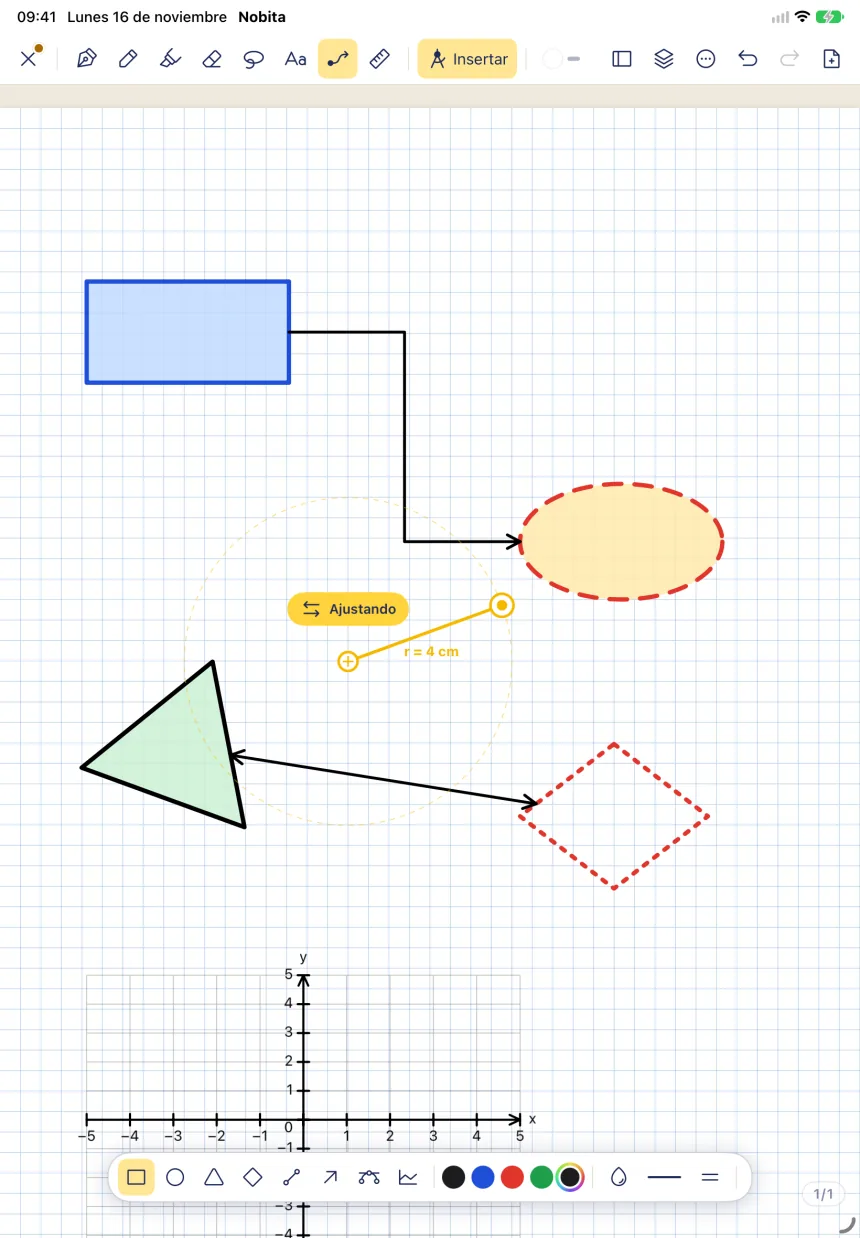
- Draw a circle, an arrow or a rectangle and the app straightens it.
- Scribble over something to erase it.
- It reads your handwriting offline, on the iPad itself.
- Add typed text and images.
In development · coming soon for iPad
Nobita is a free app for writing with the Apple Pencil. Your notebooks are your own files, with no subscription, and the AI you already use can see the one you have open.
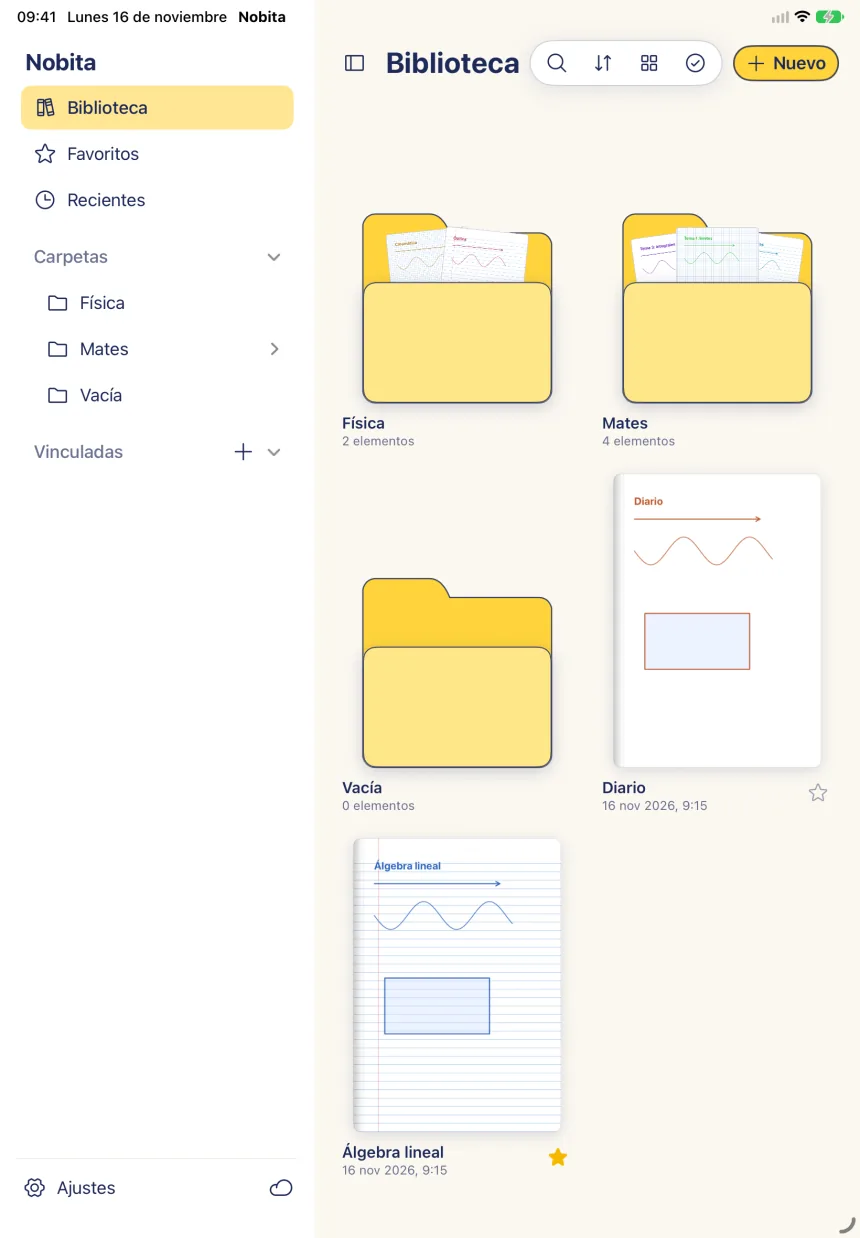
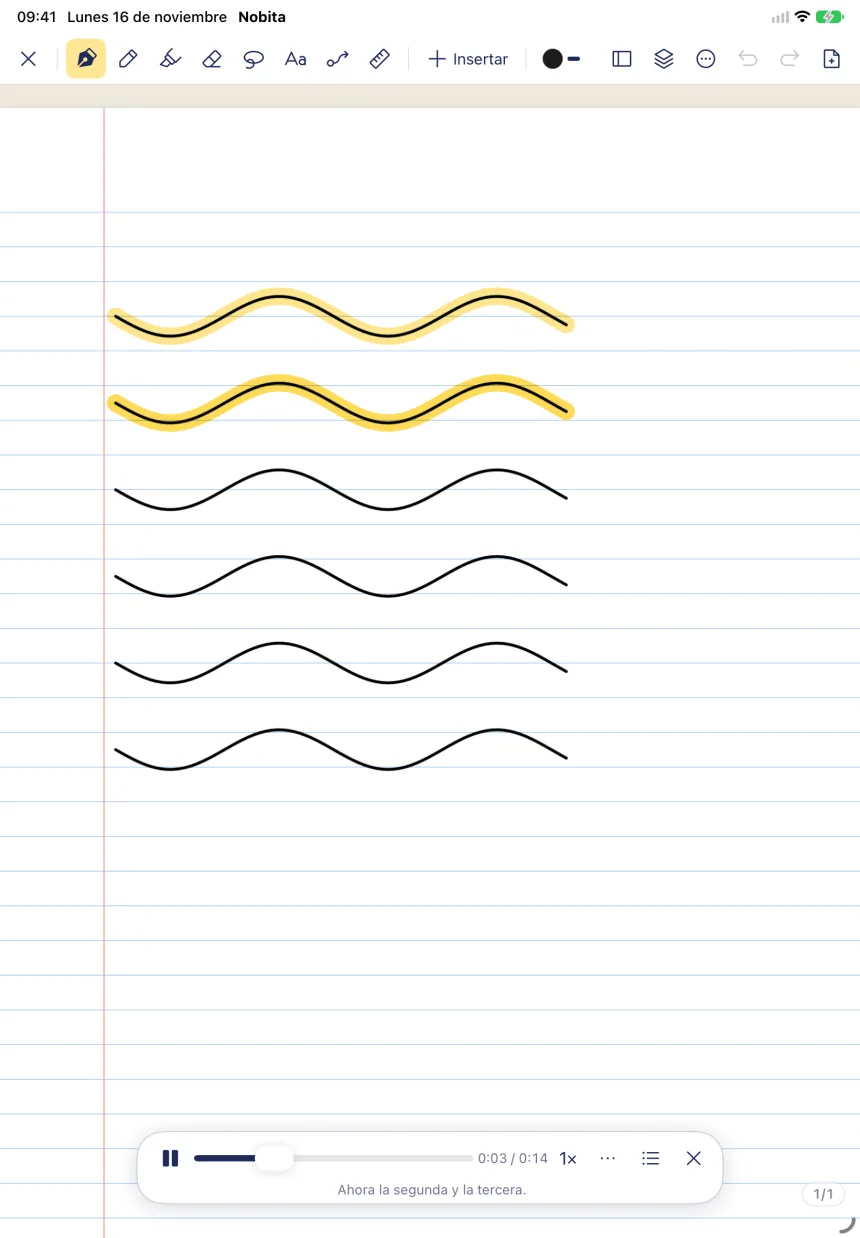
right now, in the iPad simulator
Made for iPadBuilt for the Apple Pencil.
Free and open sourceMIT license.
No subscriptionNo Nobita accounts.
Your own filesOne file per notebook.
You write on the iPad. Your AI, the one you already use, can see the notebook you have open. No screenshots and nothing to paste.
You write an integral by hand
Nobita passes on the text
∫ from 0 to 1 of 2x dx
= [x²] from 0 to 1
= 1 + 1 = 2
You ask if it is right
Illustrative example. If something is hard to read, your AI can ask for a picture of that area, and only that area.
You connect it onceIt comes turned off. You turn it on, and that is all.
Only while Nobita is openIf you close the app, your AI sees nothing.
You use your own AIClaude, ChatGPT… the one you already have.
No chatbot insideNobita is just the notebook. You bring the AI.
All of this is built and works in the iPad simulator.
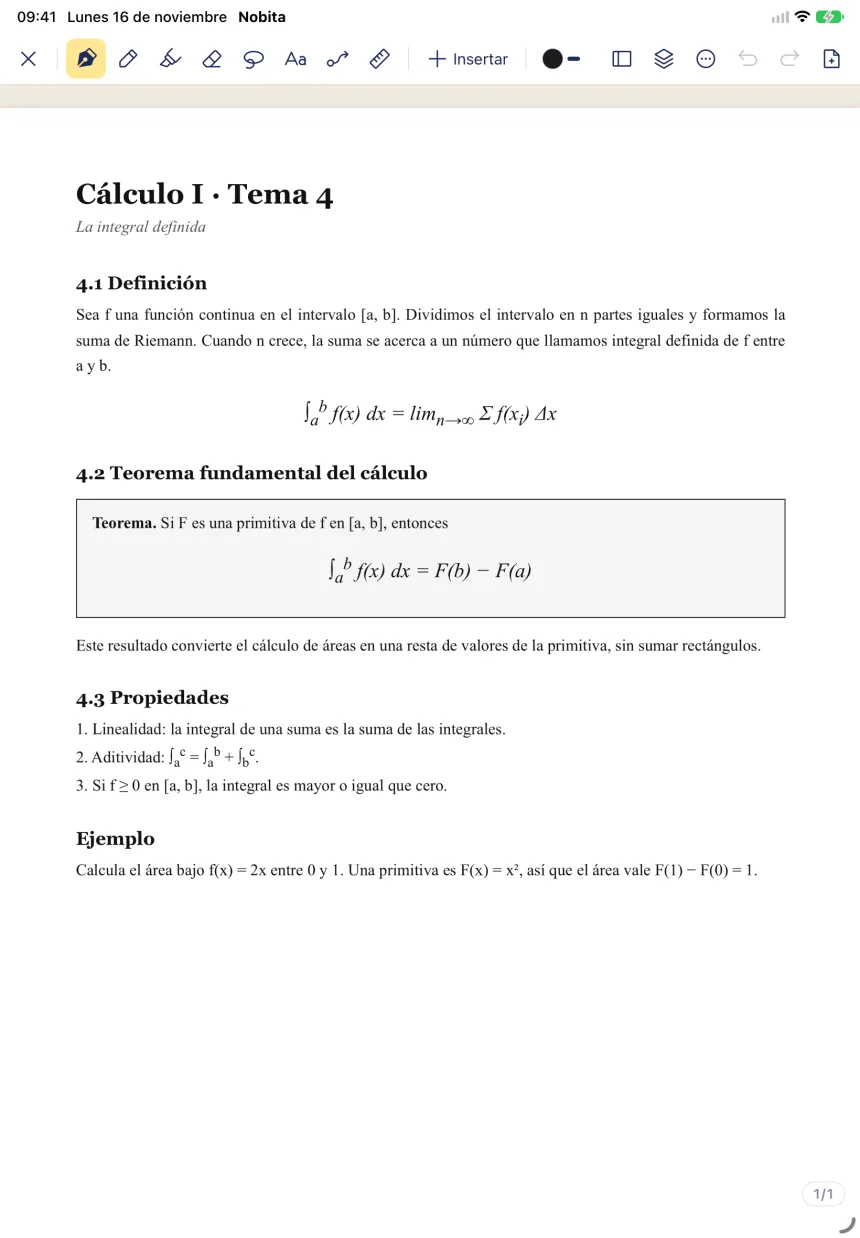
Import your class handouts, write on top and search their text. The PDF stays inside the notebook, in a single file.
Shapes, arrows, axes and the instruments you know, which snap to what you draw. Here, the compass with its radius.
One file per notebookOpen it, copy it and move it like any other file. The format is open, so it does not lock you in to Nobita.
No subscriptionNo Nobita accounts and no fees. Everything works offline.
Open sourceMIT license: you can use it, copy it and change it.
Nobita is in development. It cannot be downloaded yet.
The features above are built.They work in the iPad simulator.
It still needs thorough testing on a real iPad.With an Apple Pencil, day to day.
It is not on the App Store.There is no date yet.
The code is not public yet.When it is, the license is MIT.
Other platforms, later.They are planned for after the iPad, with no dates.